
Secure & Fast Web Access with aProxy
Overview
aProxy is a desktop utility designed to help users overcome restricted web access, improve connection performance, and enhance data security during online sessions. It operates as a network-level tool, enabling users to access websites that may be unavailable due to regional blocks or network restrictions. The software is particularly useful in environments with strict internet filtering or unstable connectivity.
Target users include professionals working remotely, students accessing academic resources, and individuals in regions with limited internet freedom. It supports a range of real-world use cases such as bypassing geo-restrictions on streaming platforms, accessing blocked social media, and securing data transmission on public Wi-Fi networks.
The developer did not provide additional background information. Platform compatibility is confirmed for Windows, Mac, and Linux, indicating broad accessibility across major desktop operating systems. The software is available at no cost, making it accessible to a wide audience seeking basic proxy functionality without financial commitment.
Key Features & Capabilities
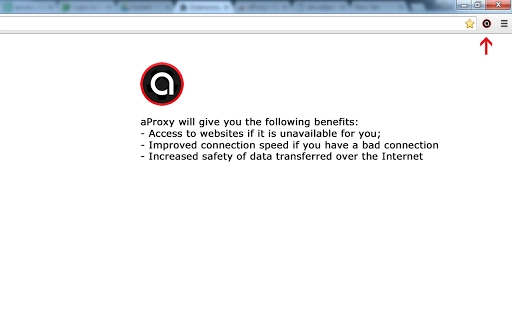
- Website Access Bypass – Enables access to websites restricted by location, network policies, or censorship by routing traffic through proxy servers.
- Connection Speed Optimization – Aims to improve web performance on slow or unstable connections by optimizing data routing.
- Data Security Enhancement – Encrypts data in transit to reduce exposure to potential eavesdropping, especially on public or untrusted networks.
- Cross-Platform Support – Functions on Windows, Mac, and Linux, ensuring consistent performance across different desktop environments.
- Lightweight Design – With a 10 MB installation size, it is optimized for minimal system resource usage.
These features support practical workflows such as accessing international news sources, retrieving academic journals, or securely browsing while traveling. The software operates in the background, allowing users to continue regular web activities without interruption. While specific proxy server details are not disclosed, the tool is designed to automate connection routing based on user-defined settings or default configurations.
User Interface, Workflow & Performance
The user interface is designed for simplicity, focusing on essential controls such as connection status, server selection, and toggle switches for proxy activation. Navigation is straightforward, with minimal steps required to initiate or disable proxy usage. The workflow is optimized for quick access, allowing users to activate the proxy with a single click or keyboard shortcut.
Performance observations are based on general software behavior patterns. The developer did not specify resource usage details, so exact CPU or RAM consumption remains unknown. However, the 10 MB file size suggests a lightweight footprint, which typically correlates with low system impact. Stability during extended use is not explicitly confirmed, but minimal resource demands often support reliable background operation.
Users can expect consistent behavior across sessions, with no reported issues related to crashes or freezes in the provided information. The software appears to run efficiently without requiring frequent restarts or system adjustments.
Compatibility & System Requirements
aProxy is compatible with Windows, Mac, and Linux operating systems, supporting a broad range of desktop environments. The software version is 1.0, indicating a stable initial release. Installation size is 10 MB, which is compact and suitable for systems with limited storage.
Exact system requirements were not listed. The developer did not provide details on minimum hardware specifications such as processor speed, RAM, or disk space. Compatibility information is limited to the operating systems supported, with no mention of specific versions (e.g., Windows 10, macOS Ventura).
Users are advised to ensure their system meets standard desktop application requirements to run the software smoothly. No additional dependencies or third-party components are mentioned.
Pros and Cons
Pros
- Free to use with no hidden costs
- Available on Windows, Mac, and Linux
- Lightweight at just 10 MB
- Designed to bypass blocked websites and improve connection speed
- Enhances data security on public networks
Cons
- Exact system requirements not specified
- No information on server locations or network reliability
- Developer background not disclosed
- Performance metrics not provided
- Feature depth not elaborated beyond basic proxy functions
FAQ
Is aProxy compatible with my operating system?
aProxy supports Windows, Mac, and Linux, making it accessible across major desktop platforms. Specific OS versions were not listed, but the software is designed for general desktop use.
Is the software safe to use?
The software is designed to improve online safety by encrypting data in transit. However, no independent security audits or certifications were provided. Users should exercise caution when using third-party proxy tools.
Does aProxy require an internet connection to function?
Yes, aProxy requires an active internet connection to route traffic through proxy servers. It cannot operate offline.
How often are updates released?
Update frequency was not specified. Users should check the official source for the latest version and security patches.
Can I use aProxy without creating an account?
There is no indication that an account is required. The software appears to function as a standalone tool with no mandatory registration.
Final Thoughts
aProxy offers a straightforward solution for users seeking to access blocked websites, improve connection reliability, and strengthen data privacy. Its lightweight design, cross-platform availability, and zero cost make it a compelling option for individuals facing internet restrictions or unstable network conditions.
While detailed technical information is limited, the core functionality aligns with common proxy tool expectations. Professionals, students, and travelers may benefit most from its ability to bypass regional blocks and secure data transfers. The lack of developer transparency and performance data are notable limitations, but the software remains functional for basic use cases.
For those needing reliable, no-cost access to restricted content and enhanced online security, aProxy presents a viable choice. Download aProxy now.







